Rill 0.82 - AI Feedback, AI in Canvas, New Status page and Scatter Plot
⚡ Rill Developer lets you transform datasets with SQL and build fast, exploratory dashboards. Rill Cloud enables collaboration at scale.
👉 Install Rill Developer • Join our Discord • Deploy to Rill Cloud
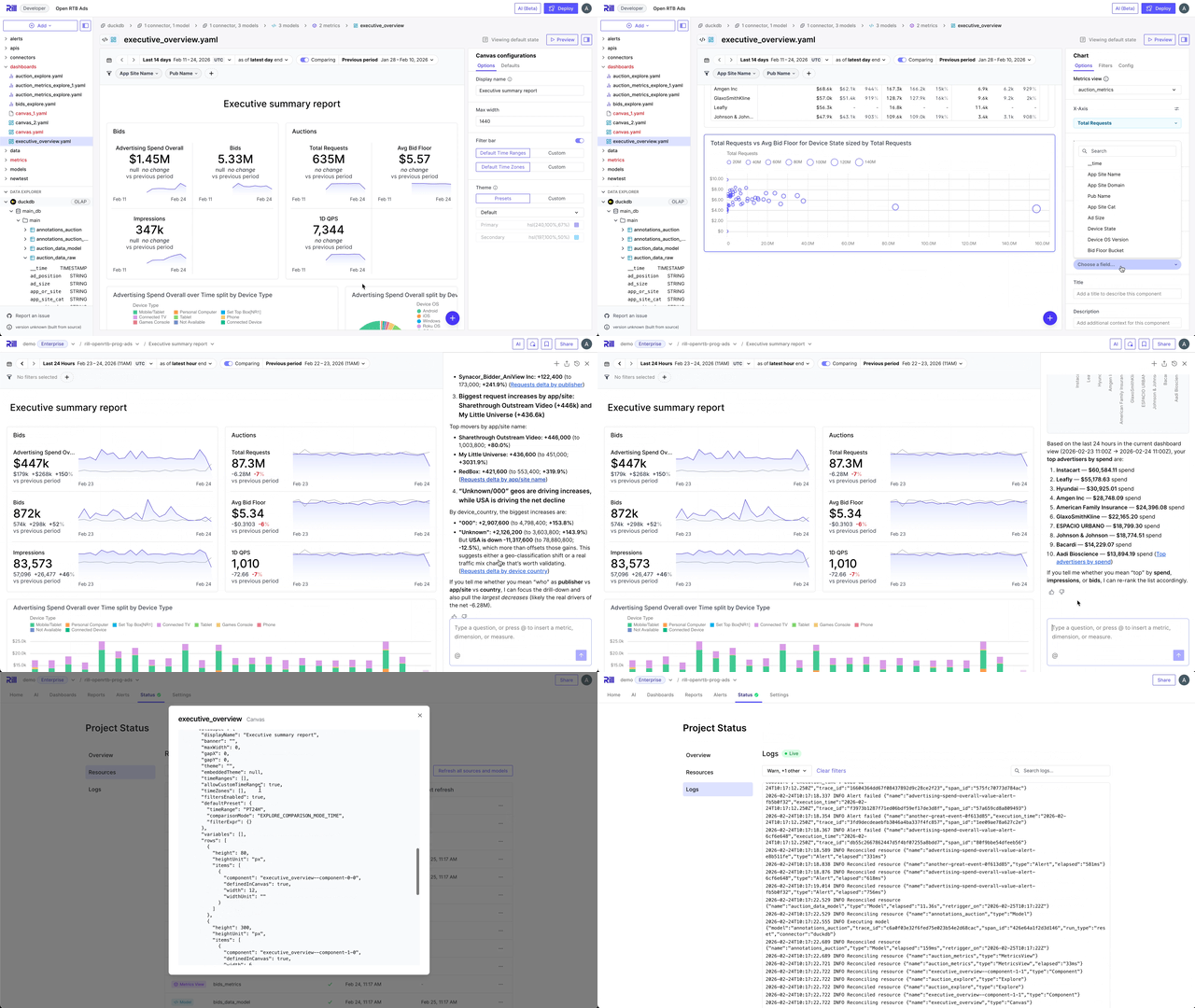
AI Feedback
You can now give thumbs up and thumbs down to score your conversations with Rill's AI agent. This helps it learn and provide even better and more crisp answers for you and your colleagues in future chats.
AI in Canvas
We've enabled the AI Agent for Canvas dashboards, so you can have conversations with the agent while browsing your Canvas dashboards.
New Project Status Page
We have massively overhauled the status page for projects within Rill Cloud. You can now easily search, filter, and find resources—for example, those that are erroring—as well as get full access to logs without having to use the CLI.
Scatter Plot in Canvas
The Scatter Plot has arrived for Canvas Dashboards! It's a great visualization for seeing the correlation of a dimension across two measures. It also features zooming in and out, as well as the ability to pan around the scatter plot area.
Model Exports
We're proud to introduce the ability to export data from Rill on a continuous basis. You can now set up scheduled exports of models to object storage such as S3 and GCS, exporting models from Rill as parquet files for downstream processing.
Use Gemini as your AI provider
We have added support to use Gemini as your preferred AI provider. Create a Gemini connector, set up your API key and you are good to go!
Bug Fixes and Improvements
Explore / Dashboards
- Fixed blank page when navigating to missing explores
- Fixed timezone changes not updating data until a time range re-select
- Fixed leaderboard falling out of sync with URL state
- Fixed HAVING clause with LIMIT queries
- Handled date types in two-phase comparison queries
Canvas
- Fixed chart selector icon colors not adapting to theme in dark mode
AI / LLM
- Added comparison support in AI-generated charts
- Fixed AI chat rendering multiple code blocks correctly
- Fixed missing AI context like timezone, selected measures, and dimensions
- Cleaned up empty and null values from dashboard chat context
- Added hard row limits for AI metrics and SQL queries
- AI query tools now return compact tabular results for clearer responses
- Changed default LLM temperature to 0.1 for more consistent responses
- Fixed deleting a file from the dev agent breaking navigation
ClickHouse
- Fixed null handling during cast for LIKE operations
- Added ClickHouse Play template
- Added support for pre/post exec queries in ClickHouse modeling
- Allowed dictionary optimization when the lookup dimension is in the SELECT clause
Connectors
- Added Snowflake private key authentication support
- Added StarRocks connector form
- Added two-step HTTPS form with headers support
Rill Developer
- Root cause errors are now surfaced in Rill Developer
- Hidden share conversation button in Rill Developer
- Fixed file editor error display to show parse errors instead of all errors
- Changed
.envfile generation to use standard syntax - Fixed Rill logo display when forced to dark mode
Cloud
- Fixed repo clone not working for non-default branches
- Fixed error response from wake project CTA
- Fixed pending invites quota being double counted
- Published usergroup and project member APIs
- Fixed parser not triggering on deployment updates
- Added automatic retry on "Connection refused" errors
- Fixed model result format in Snowflake to object store executor
- Fixed SQL resolver limit and cap