GitHub Integration
Each Rill Cloud project can be connected to a single GitHub repository. This enables continuous deployment—your project automatically redeploys whenever you push changes to the connected repository.
Connecting to a GitHub Repository
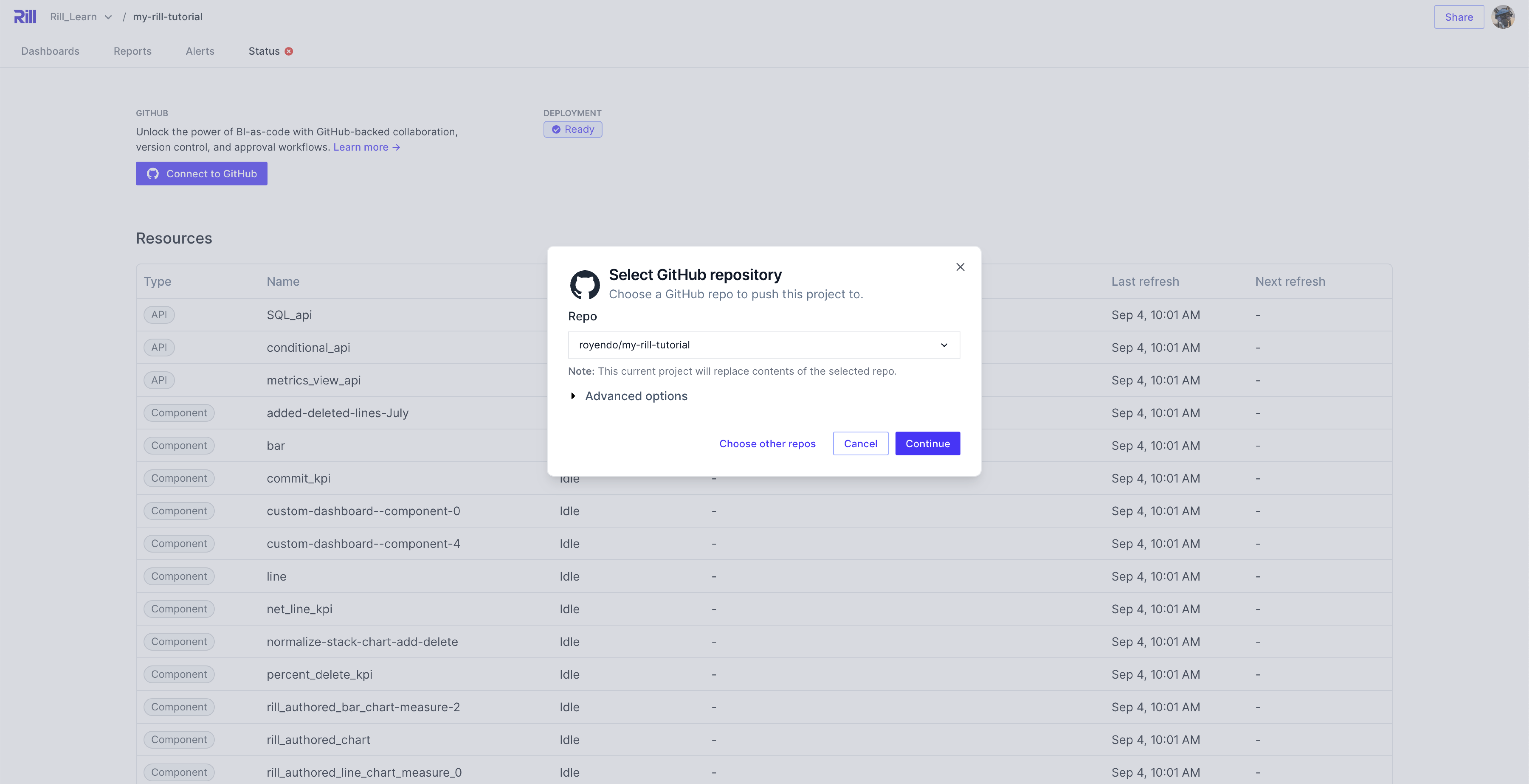
On first deployment, if you've deployed via the UI, your project will not be connected to a GitHub repository. You will need to manually connect it:
- Navigate to your project's Settings page
- Select Connect to GitHub
- Follow the steps to connect your repository
Modifying GitHub Repository Connection
In some cases, you will need to change the repository that your project is synced to:
- Navigate to your project's Settings page
- Select the dropdown next to the repository name
- Choose Disconnect to remove the current connection
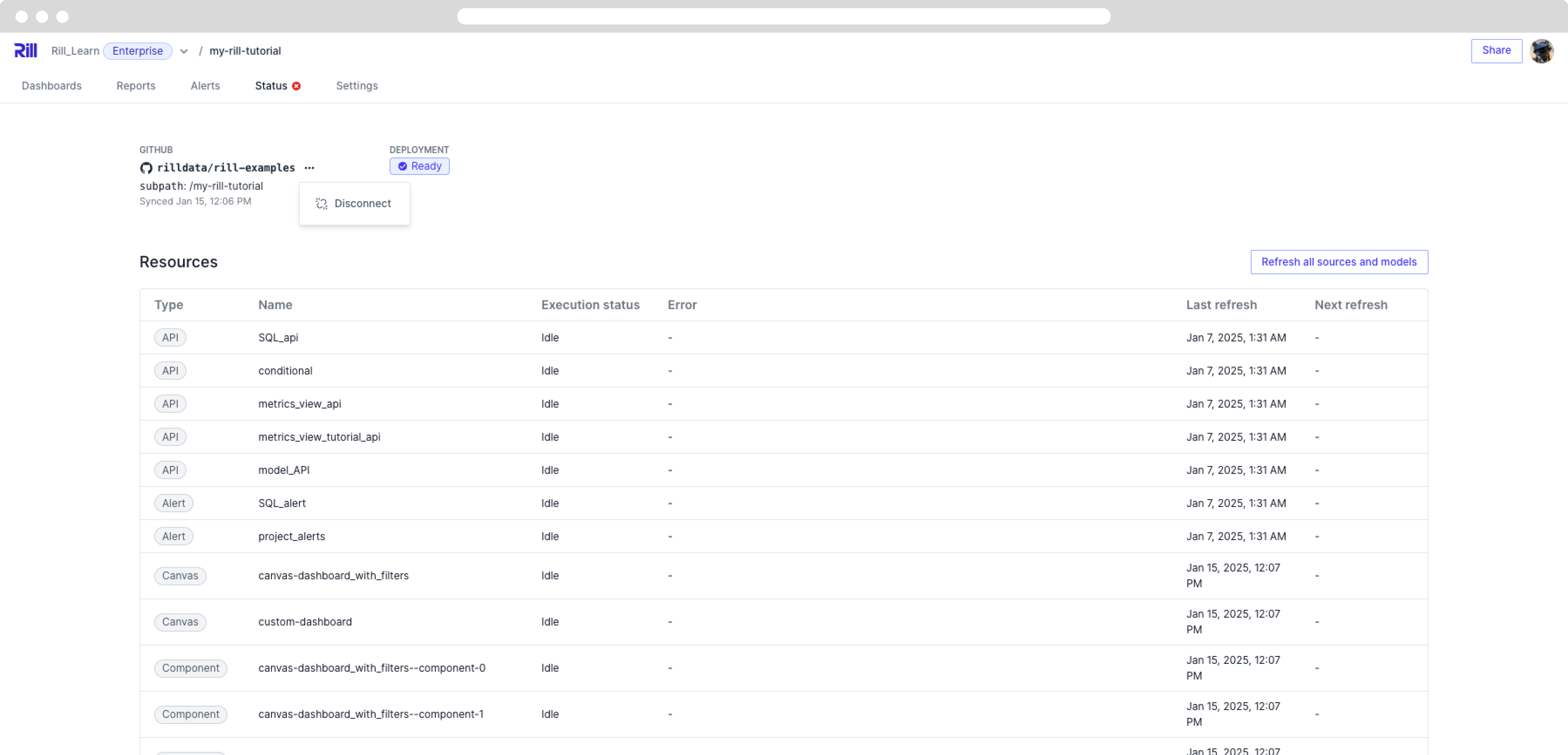
This action has no effect on your current deployment and will not require a source re-ingest. After disconnecting, you can follow the same steps as connecting to a GitHub repository to reconnect your project to a new repository.
Deploying from a Branch Other Than main
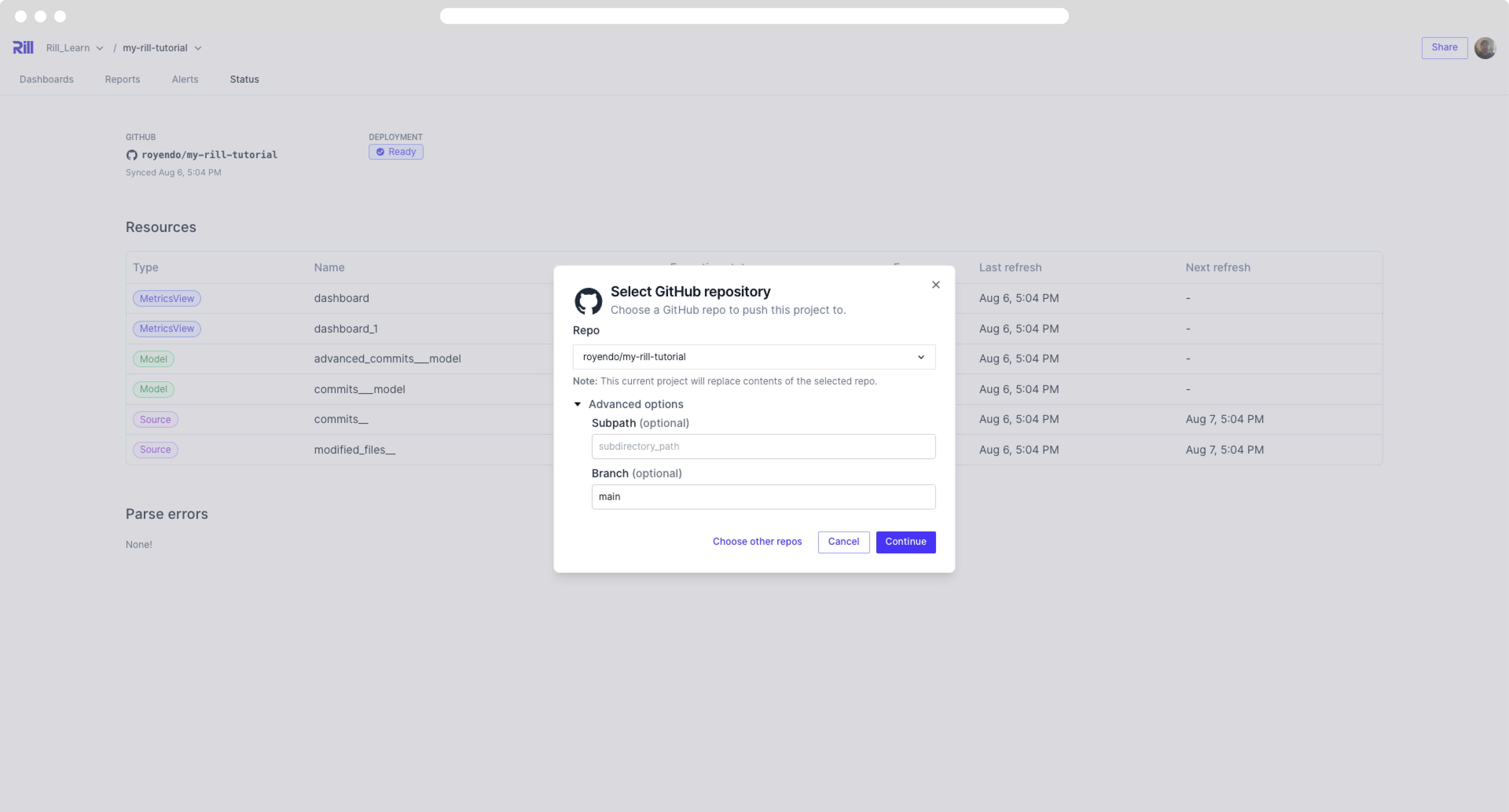
By default, Rill Cloud deploys from the main branch of your connected repository. You can change this to deploy from a different branch.
Via Rill Cloud UI
If you have already set up your connection to GitHub, you can edit the branch from the project settings:
Via CLI
To change the branch via the CLI, run:
rill project edit
This will open an interactive prompt where you can update the branch name and other project properties.
Automatic Deployment
Your project on Rill Cloud will automatically redeploy every time you push changes to the connected GitHub repository. This ensures your dashboards always reflect the latest version of your project code.
To manually refresh data sources without pushing code changes (or redeploying your project), use:
rill project refresh [--source/model] (source_name or model_name)