Formatting your Measures
When creating your measures in Rill, you have the option to pick from a preset of formats that we provide to you or use the d3-format parameter to format your data in any way you like. An explicit format_d3 is applied everywhere the measure is displayed — the big number, tooltips, the dimension leaderboard, TDD, and pivot tables — except chart axis labels, which stay abbreviated to keep them compact.
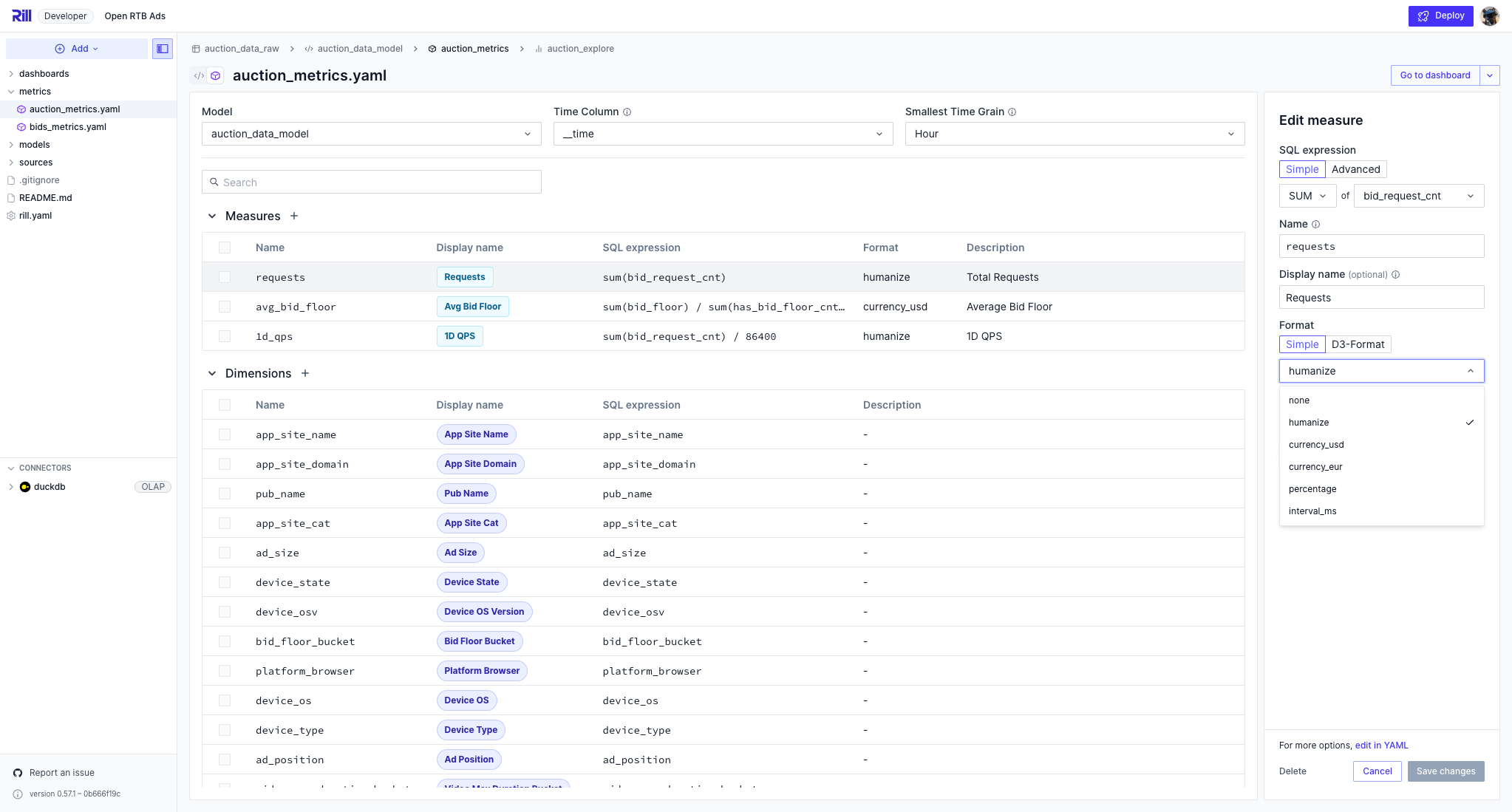
Using format_d3 to control the format of a measure in the metrics view allows for further customization.
If an invalid format string is supplied, measures will be formatted with format_preset: humanize. Measures cannot have both format_preset and format_d3 entries. If neither format_preset nor format_d3 is supplied, measures will be formatted with the humanize preset.
Please review the reference documentation, here.
Customization
For further customization of your measures, you can switch to the YAML view and, with our metrics view reference documentation, use the format_d3_locale parameter to create specific formatting.
 format_d3:
  format_d3_locale:
    grouping:
    currency:
Examples
Measures with an explicit format_d3 follow that format exactly in the big number, tooltips, the dimension leaderboard, TDD, and pivot tables. Chart axis labels are the one exception: they remain abbreviated so they fit in the available space. Measures using a format_preset continue to show an abbreviated (humanized) big number, since presets do not specify an exact precision.
If you have any questions, please review our reference documentation.
Format a measure to include specific amount of decimals
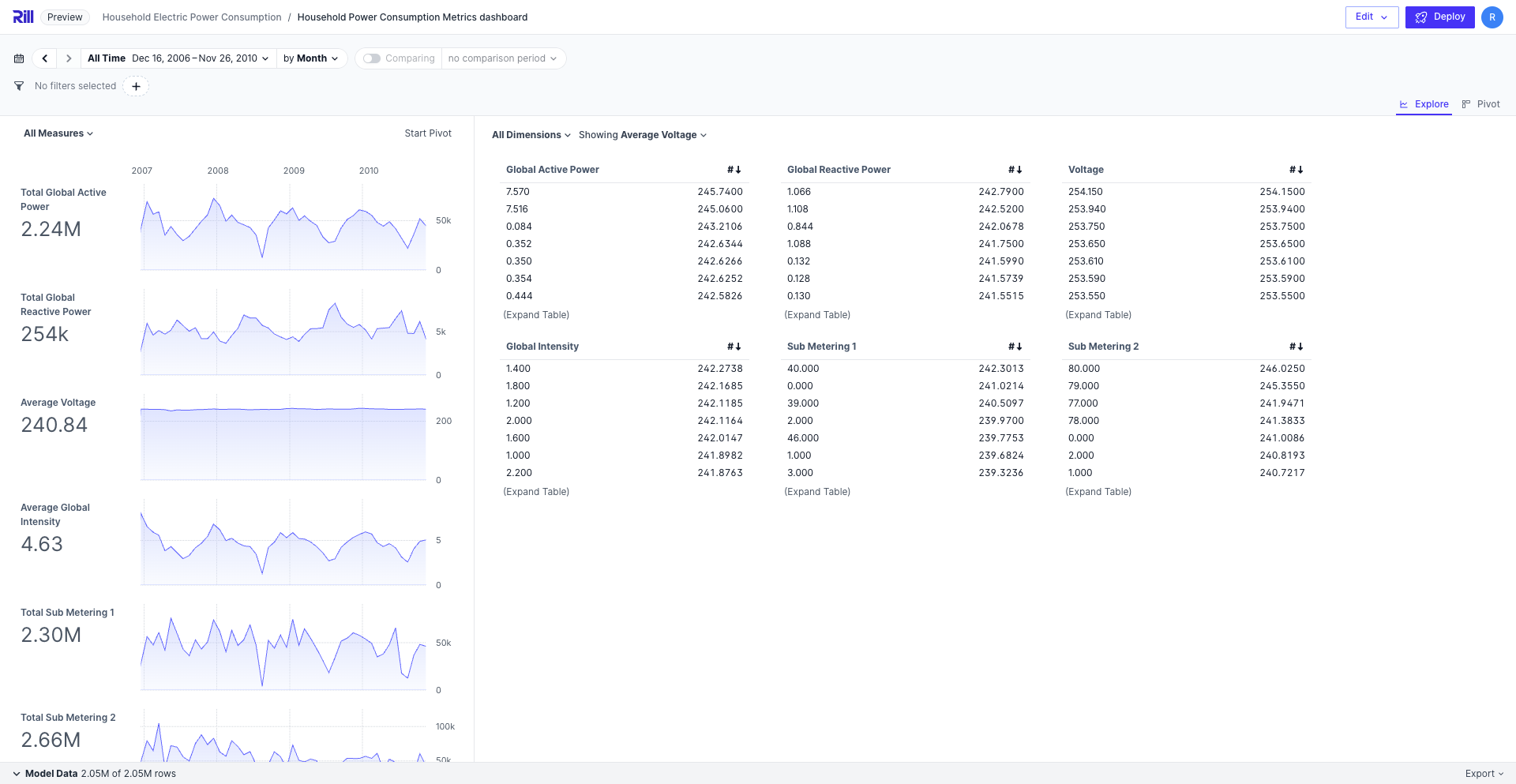
In the case that you need to view more granular values of your data, you can set the decimal places to whatever value you need. In the above example, we are setting the average voltage measure to 4 decimal places to get a more accurate representation for each dimension.
format_d3: ".4f"
Format currency with different ',' locations. IE: Indian Rupee
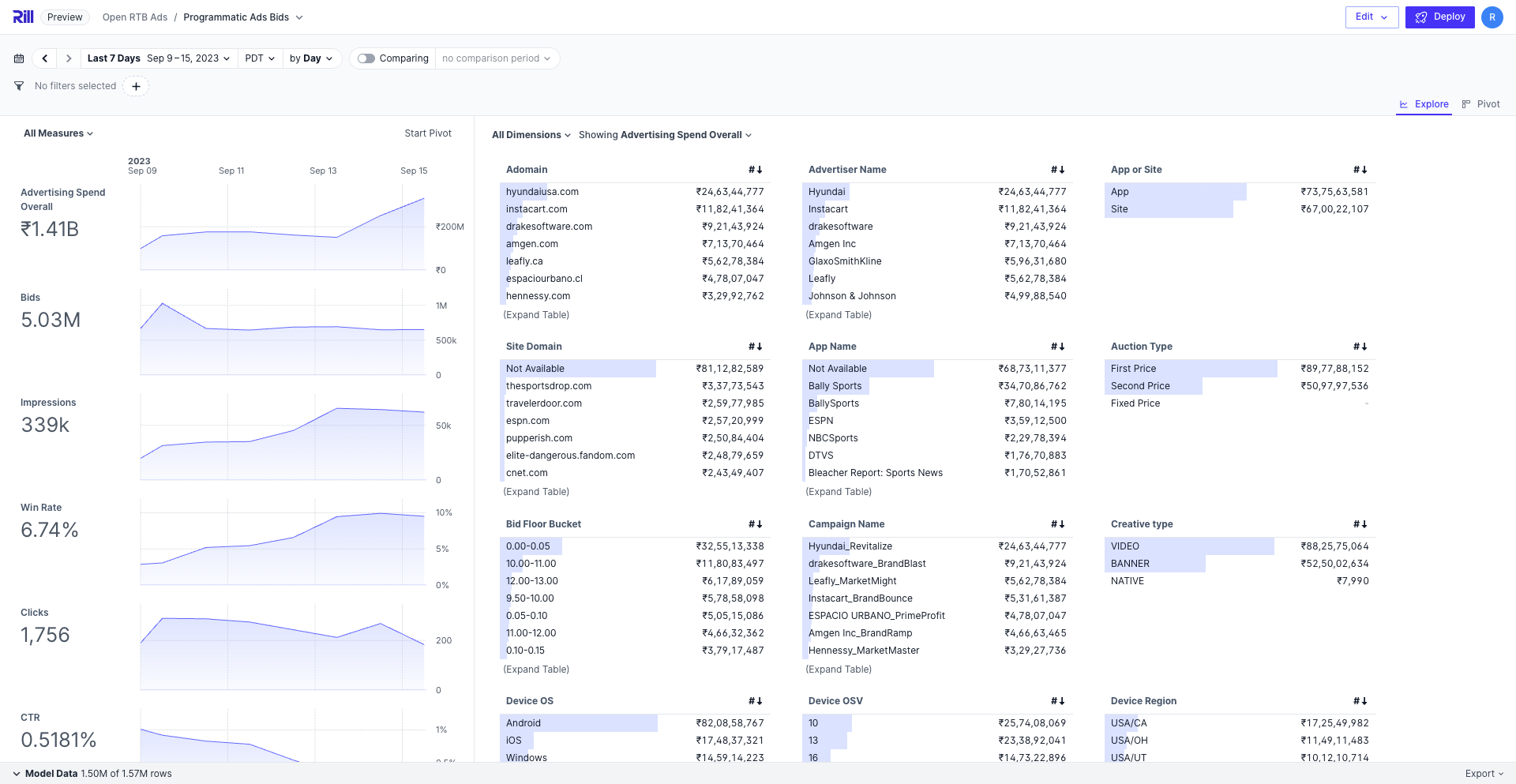
format_d3: "$,"
format_d3_locale:
    grouping: [3, 2, 2]
    currency: ["₹", ""]
As Indian Rupees are formatted in a different way than USD and EUR, you'll need to use the format_d3_locale parameter to set the exact grouping and currency. Likewise, if the currency symbol is written after the numeric value, you can set the currency to ["", "$"].
Percentages
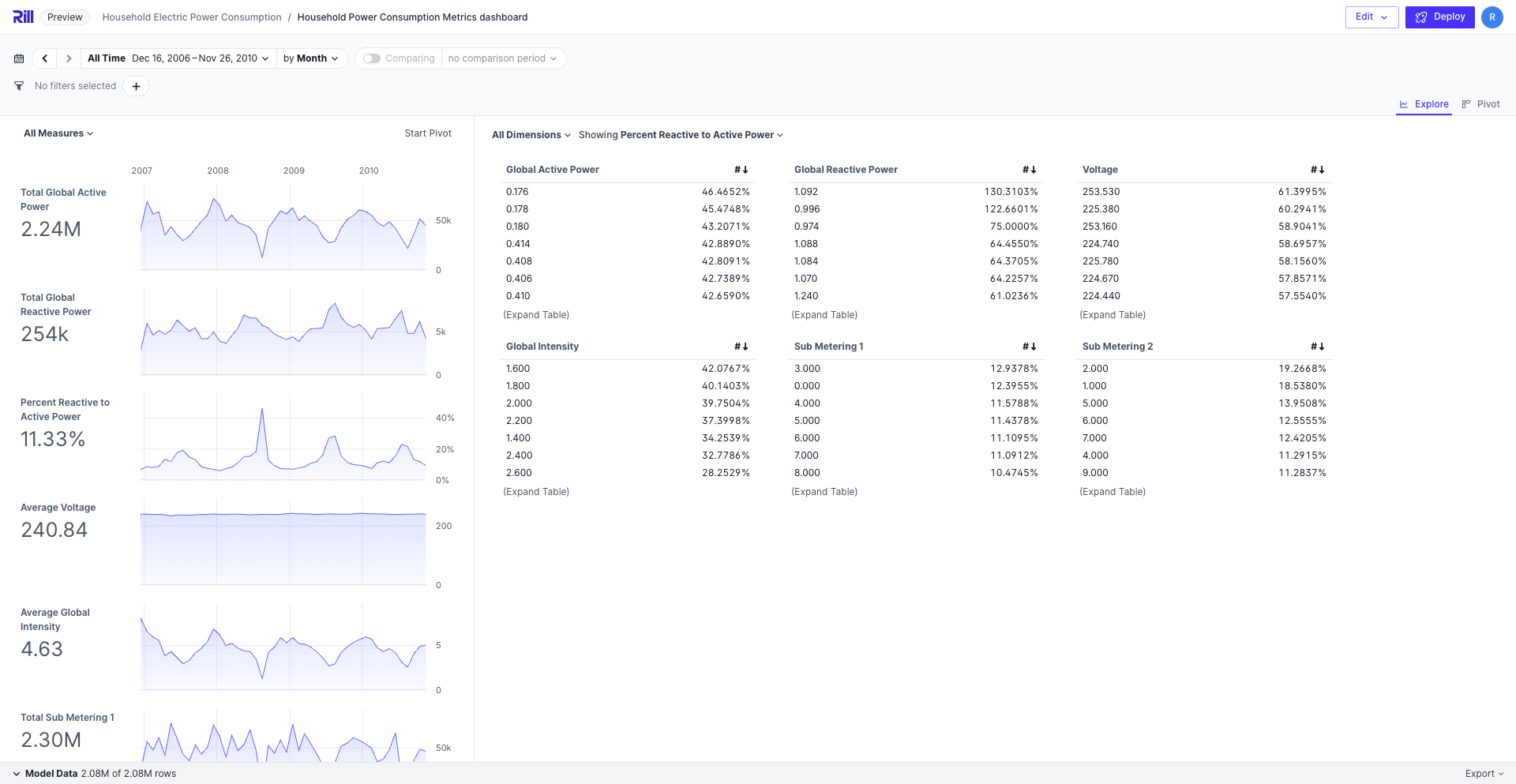
format_d3: '.4%'
While our format_preset: percentage will automatically apply .2%, you can manually set the value in format_d3 if you are looking for a more specific measure format.